Feed reader for iPhone, iPad and iPhone Duo
Read feeds, including from pages that have none.
Feedwright reads RSS, Atom, JSON Feed, Reddit and YouTube. Pages without a feed get one, built from the page itself. Pages with no articles can be watched for changes. All of it lands in the same list, with no account.
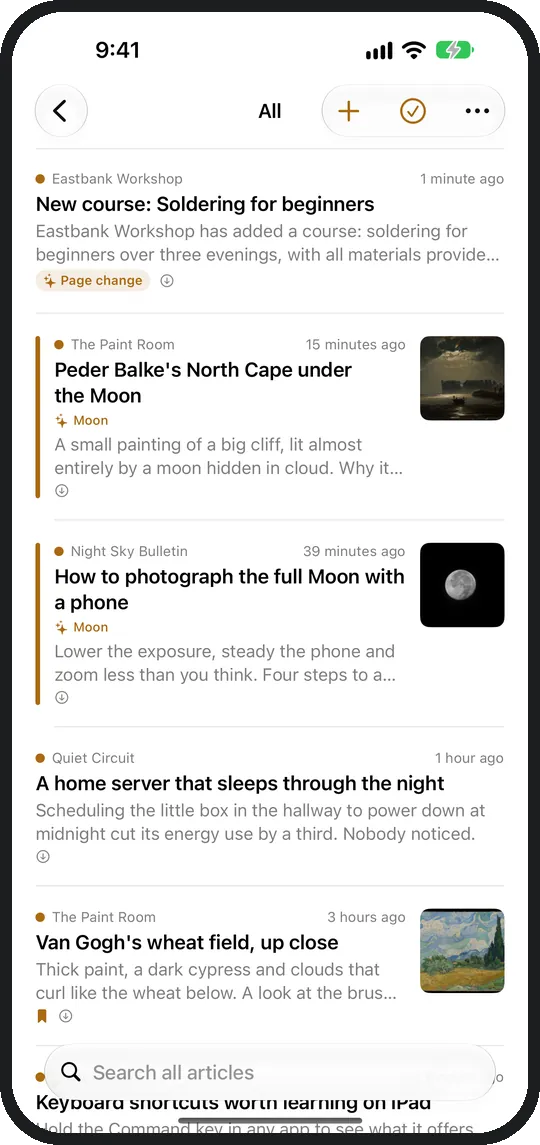
How it fits together
What happens to an address you paste
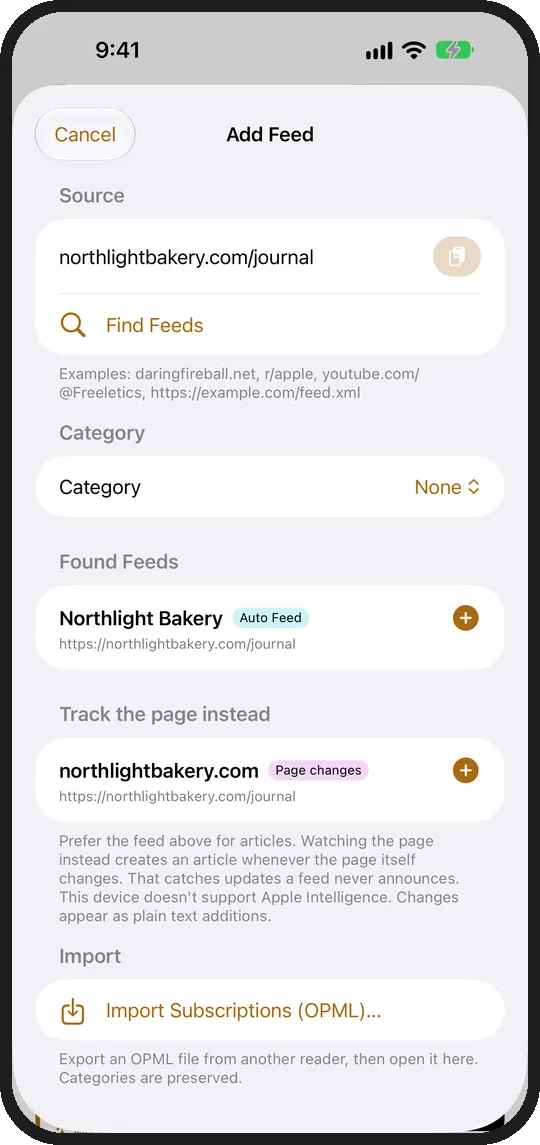
Feedwright checks what the page offers and takes one of three routes. Before you add it, it shows the latest articles or the text of the page. In all three cases an unread line ends up in the same list.
Pages with a feed
RSS, Atom, JSON Feed, Reddit and YouTube channels. None of them ask you to sign in. A YouTube channel is recognised from any shape you paste: a mobile link, a youtu.be video, a playlist or a bare @handle.
- Existing subscriptions come over as an OPML file, from Feedly, Inoreader, NetNewsWire or Feeder. Before the import, Feedwright shows the categories in the file, and you untick what you don't need.
- Exporting back out works at any time and is not tied to Plus.
- Articles are in the order they were published.
Pages without a feed
The blog with no RSS, the club page, a newspaper section: paste the address and you are done. Feedwright reads the page and makes articles out of it. New ones arrive as unread articles afterwards, like everything else.
- If the page changes its structure, Feedwright looks for a new route to the same articles.
- Lead image and teaser are fetched from the article's own page, one request each.
Watching pages for changes
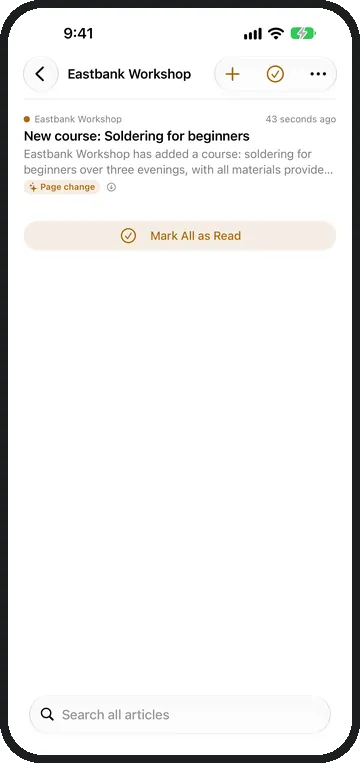
A pricing page. A job listing. A changelog. Pages with no articles can be added too. Feedwright reports when something there moves, and the report is a line in the same list.
- Where Apple Intelligence is available, the device decides whether a change means anything. A new date or a cookie notice then triggers nothing.
- No service in between, no account, no monthly limit.
Reading
Reader view, highlights and Read Later
Articles open without ads, cookie banners or waiting. The text is set natively. You choose the typeface, size, line spacing and theme.
Highlight words
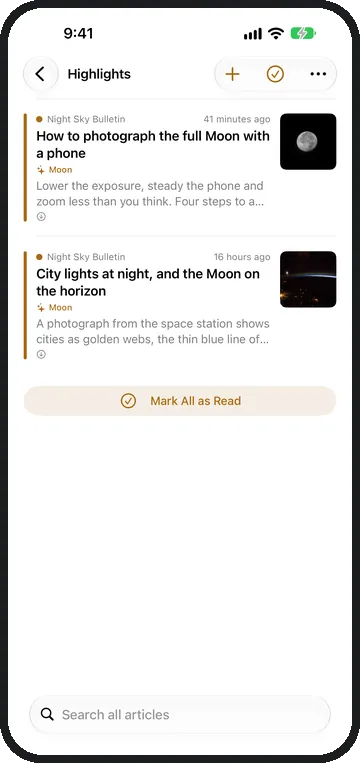
Articles containing a highlight word are marked in every list and collected in the Highlights view. Articles containing a muted word are hidden and marked as read. Both come with Feedwright Plus.

Read Later
An article you save goes to the Read Later list. Read articles stay available offline until you clear them. Nothing expires on its own.
Also: read-aloud with Lock Screen controls, search across everything, Siri and Spotlight. "What's new?" gets answered without the app ever opening.
Where this runs
Where the data sits
Your device fetches the feeds itself and stores them itself. There is no server of ours in between.
Subscription
Feedwright Plus
The app includes 15 sources and every reading feature. A source is a feed or a watched page. Plus adds:
- No limit As many feeds and watched pages as you like.
- Highlight words So a topic stands out in the list straight away.
- Muted words So a topic leaves you alone.
- Family Sharing One subscription for up to six people.
Help
Common questions
What about my subscriptions in Feedly or Inoreader?
Export an OPML file there. Share it to Feedwright from the Files app, or tap + in Feedwright and Import from another app. Feeds that no longer answer get a suggestion: a new address, an Auto Feed or a watched page. Feedly, Inoreader, NetNewsWire and Feeder are tested. Exporting back out works at any time and is not tied to Plus.
A feed will not load. What now?
After a failure Feedwright retries at growing intervals, from 30 minutes up to 6 hours. "Try again" skips the wait. Since late 2025 YouTube occasionally answers 404 or 500 for perfectly live channels. That is known and passes on its own. If it persists, send me the address.
How often does the app fetch new articles?
On opening when the last fetch is too old, on pull-to-refresh, and when iOS gives the app background time. There is no polling and no timer. That is a decision about battery life.
Do articles stay readable offline?
Yes. The extracted text sits on the device. Only what is read and not saved is cleaned up, and only after the retention window you set. Saved articles never expire.
Does it run on iPad and iPhone Duo?
Yes, on iPhone, iPad and iPhone Duo, from iOS 26. On iPad and an open iPhone Duo the article list and the article stand side by side, as in Mail. Subscriptions, rules and read state sync through your iCloud.
Why is there Feedwright Plus?
Because an app costs money before anyone downloads it. Publishing on the App Store alone costs 99 dollars a year, and Apple keeps a share of every subscription. On top of that come devices for testing and the tools for development. My working time is not part of that at all. Plus is meant to help cover these costs so that Feedwright keeps being looked after. Reading, search and exporting your sources stay open without Plus.
How do I cancel Feedwright Plus?
In iOS Settings, at the top under your name, then Subscriptions.
Contact
A feed that will not load? Send me the address of the page. I reply personally, and usually the case is fixed in the next update.