Monitor websites for changes on iPhone and iPad
Feedwright keeps an eye on pages for you and reports when something moves there. It runs on your iPhone or iPad and needs no account and no service in between.
Which pages are worth watching?
Pages where little happens, but when it does, it matters:
- a pricing page
- a job listing or careers page
- a call for tenders
- a changelog or documentation
- a competitor's page
How do I keep an eye on a page?
Tap + and paste the address. If the page has no articles, Feedwright opens Watch Page by itself. For a page with a feed or articles, tap the Watch Page row. Then tap Watch, and the page appears in your list.
How do I hear about a change?
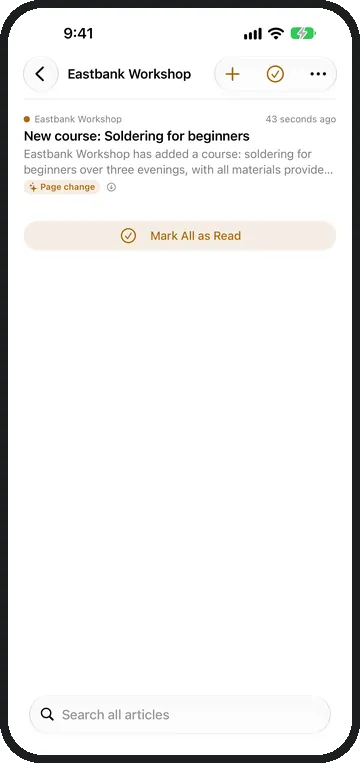
As an unread line in your list, right among your articles. It shows what is new on the page.
Does Feedwright report every little thing?
Where Apple Intelligence is available, your device sorts out the small stuff: a new date or a cookie notice then triggers no report. For real changes it writes a headline and two or three sentences, in the language of the page.
How often does Feedwright check?
Whenever Feedwright fetches your feeds: when you open the app, when you pull the list down, and in the background when iOS gives the app time. A monthly limit on checks is not needed.
How many pages can I watch?
Feeds and watched pages share the app's 15 sources. With Feedwright Plus you watch as many as you like.
What about pages that publish articles but have no feed?
You simply follow them, and each new article arrives on its own, see Follow any website. If you used a monitoring service before, the move is on Switch from Visualping.