 Peal
Peal
Calendar alarm for iPad
Peal turns the appointments you must not miss into real alarms on your iPad too. They ring full screen, through Silent mode and Focus, until you stop the alarm.
Peal is one app for iPhone and iPad. On the iPad it uses the larger screen for what needs the room: the whole day and the whole week at a glance.
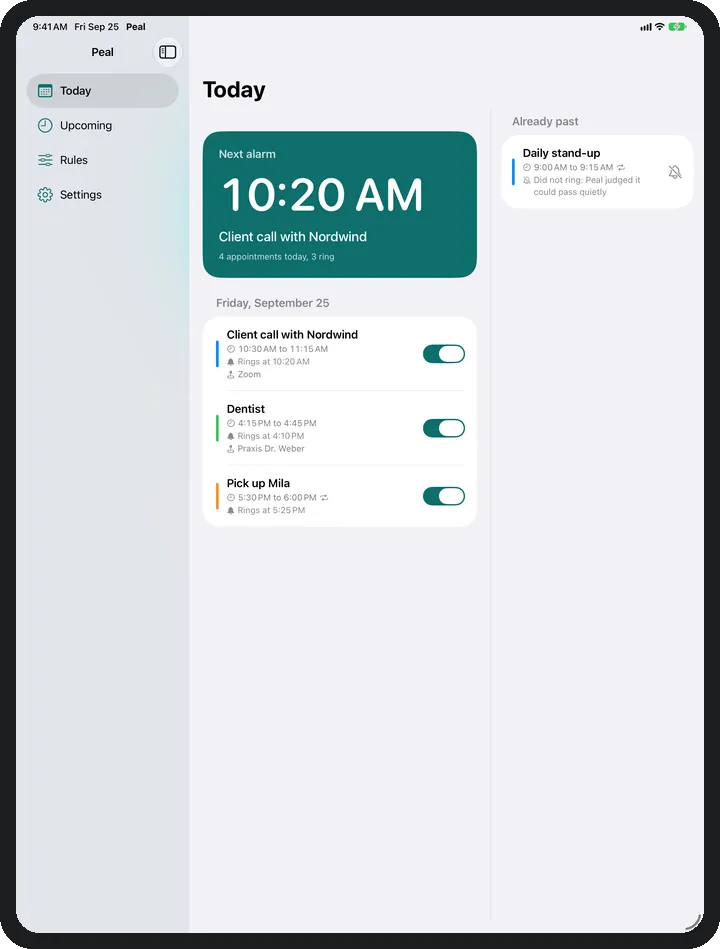
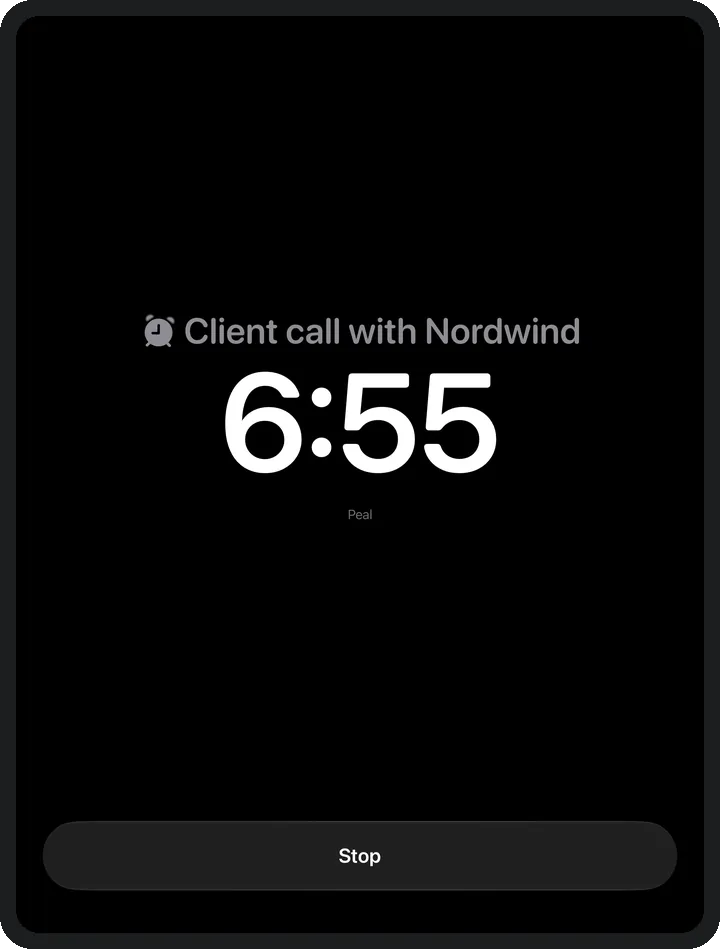
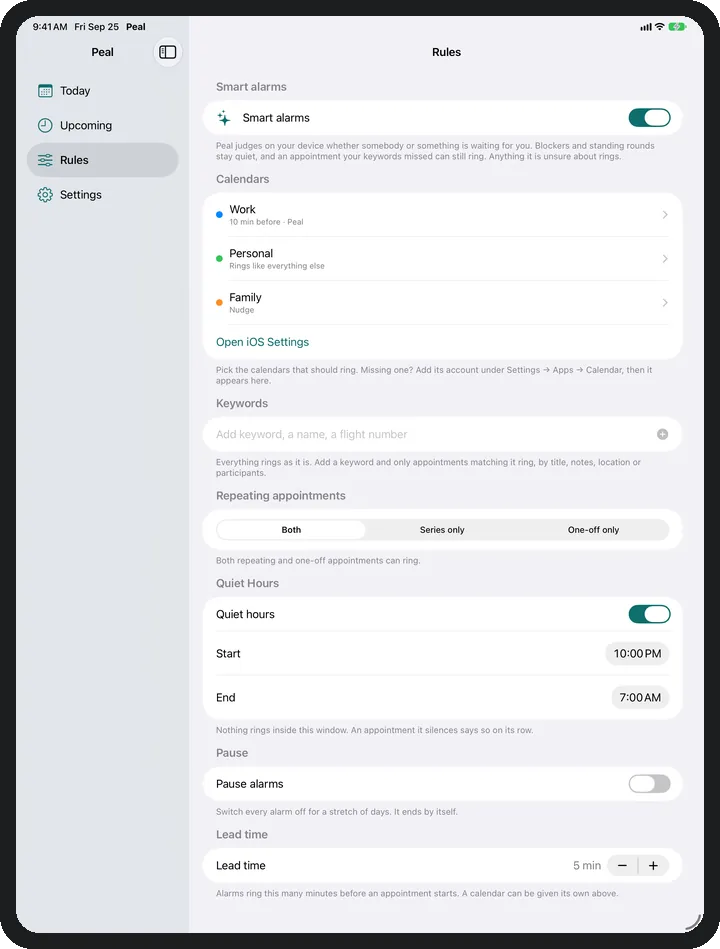
What does Peal look like on iPad?
- Sidebar Today, Upcoming, Rules and Settings sit on the left, the one you pick fills the rest.
- Today In two columns: what is still coming today, and what has passed, with what became of each appointment.
- Upcoming The next days as a board of day cards, two or three abreast.
- Shared screen When Peal only has a narrow part of the screen, it shows the iPhone layout.
Does Peal ring on iPad in Silent mode and Focus?
Yes. Peal sets the same alarms on iPad as on iPhone. Alarms come through Silent mode and Focus, notifications do not. Under every appointment it says when it rings.
Which calendars does Peal read on iPad?
All the ones the Calendar app on your iPad shows: iCloud, Google, Outlook, Microsoft 365 and any other account from iOS Settings. The pages on Google Calendar, Outlook, iCloud and the work calendar show how for your service.
Which appointments ring on iPad
The same rules as on iPhone: which calendars ring, keywords, repeating appointments, quiet hours and the lead time. You switch a single appointment on or off right on its row.
Common questions
Do I need Peal separately for iPhone and iPad?
No. Peal is one app for both devices. Peal Plus applies on every device with your Apple Account, and through Family Sharing to your family as well.
Do iPhone and iPad both ring for the same appointment?
Yes, if Peal is set up on both and the appointment passes the rules there. You stop an alarm on each device separately.
Can the iPad have different rules from the iPhone?
Yes. The rules apply to the device where you set them. So the iPad on your desk rings for work only while the iPhone rings for everything.
Which iPadOS version does Peal need?
iPadOS 26 or later.
Does Peal have to stay open on iPad?
No. The alarms ring with the app closed. For Peal to pick up new appointments, leave it in the app switcher. More on the help page.